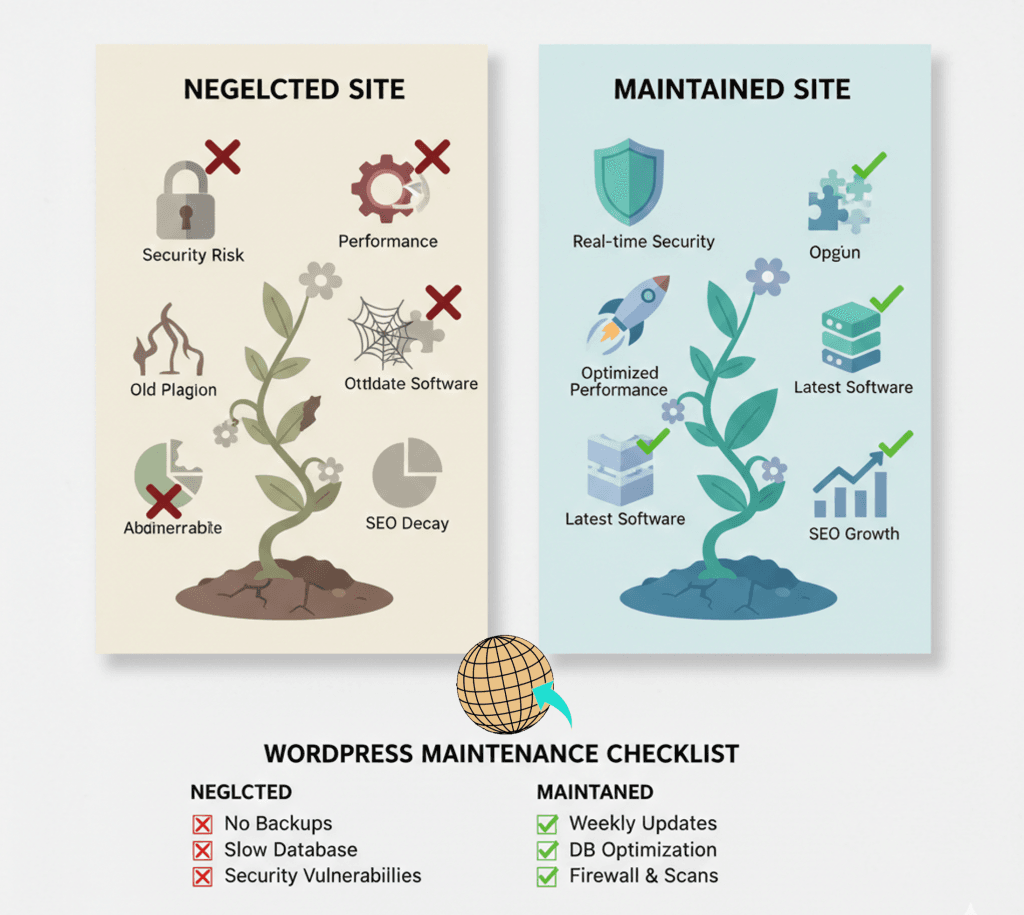
You remember the day your website launched. It was exciting, polished, and full of promise. But that was two years ago. Since then, you’ve been busy running your business—managing teams, serving clients, and growing your brand. You haven’t touched the “backend” of your site because, well, it still looks fine when you pull it up on your phone.
But here’s the uncomfortable truth: just because your homepage is visible doesn’t mean your website is healthy. In the world of web development, we call this a “Ghost Site.” It’s a digital presence that exists on the surface but is quietly decaying underneath.
Ignoring WordPress maintenance is like buying a high-end car and never changing the oil. Eventually, the engine will seize, and the cost of the “fix” will be significantly higher than the cost of the care. As a developer who genuinely cares about your success, I want to show you exactly what’s happening in the shadows of a neglected site.
One of the most dangerous myths in business is: “I’m a small business; hackers aren’t interested in me.” Actually, the opposite is true. Hackers don’t sit in dark rooms manually picking targets. They use automated bots that crawl the internet 24/7, looking for “unlocked doors.” An outdated version of WordPress or a vulnerable plugin is an open invitation.
According to data from security leaders like Sucuri, over 40% of compromised sites are targeted specifically because of outdated components. When you skip your WordPress maintenance, you are leaving your digital doors wide open.
✦ Wanderer’s Wisdom: A hacked site doesn’t always “break.” Sometimes, it just quietly redirects your hard-earned traffic to a competitor or uses your server to send spam emails. You could be losing reputation and SEO authority without even knowing it.
Over time, websites accumulate “digital dust.” Unused scripts, bloated databases, and old image files begin to weigh down your server. This leads to a slow, sluggish experience that frustrates your users and kills your conversion rate optimization.
In 2026, Google’s standards for speed are higher than ever. If your site doesn’t meet their “Core Web Vitals,” you’ll find yourself slipping in search results. We’ve talked before about how page speed and sales are inextricably linked; a one-second delay can literally cost you millions in potential revenue over the lifetime of your business.
Search engines like Google are in the business of providing good results to their users. If your site is full of broken links, outdated code, or has a copyright date in the footer from 2023, Google notices.
Regular WordPress maintenance signals to search algorithms that your site is active, secure, and relevant. If you ignore your site care, your “Crawl Budget” (the frequency with which Google visits your site) will drop.
The “Still in Business?” Test
When a customer lands on a site and sees a broken image or a contact form that throws an error, they don’t just think “the site is broken.” They think, “Is this company still in business?” That loss of trust is the hardest thing to earn back.
I see many SMB owners try to handle their own WordPress maintenance to save a few dollars. Usually, this involves clicking “Update All” once every six months and crossing their fingers.
The problem? Plugins don’t always play nice together. An update might break your checkout page or misalign your header. If you aren’t a developer, you might not notice the break until a customer calls to complain—and by then, you’ve already lost three days of sales.
The Math of Maintenance
When you partner with an agency like Wander Web Studio or leverage the deep infrastructure expertise of Cocha Technology, you aren’t just paying for “updates.” You are paying for an insurance policy for your most valuable marketing asset.
✦ Wanderer’s Wisdom: Your time as a business owner is worth $100+ per hour. Spending five hours a month Googling “WordPress error 500” isn’t a cost-saving measure—it’s a massive drain on your business’s growth.
Many hosting companies provide “backups,” but have you ever tried to restore one? Often, these backups are stored on the same server as your website. If the server fails, your backup dies with it.
A core part of professional WordPress maintenance is off-site, redundant backups that are tested regularly. A backup is only as good as your ability to restore it in ten minutes or less. If your site were to disappear tomorrow, how long would it take you to get back online?
Lorem ipsum dolor sit amet, consectetur adipiscing elit. Ut elit tellus, luctus nec ullamcorper mattis, pulvinar dapibus leo.
Your website is a living organism. It needs to be nurtured, protected, and optimized to stay effective. Neglect leads to decay, but consistent care leads to growth, trust, and a higher website ROI.
Don’t let your website become a “Ghost Site.” Whether you are a small boutique or a medium enterprise, the cost of care is always lower than the price of neglect.
Don’t wait for a security breach or a site crash to think about WordPress maintenance. Let’s breathe some life back into your digital home.
Contact Us today for a 15-minute Digital Health Check. Let’s make sure your site is working as hard as you are.
Through our parent company, Cocha Technology Inc., we are officially multi-certified as: WBE | MBE | SBE | HABE
4321 Kingwood Drive, Suite 222
Kingwood Texas 77339
Phone: 281-607-0616
Email: info@wanderwebstudio.com
Operating on Central Standard Time (CST) | Serving Clients Across All Time Zones
Copyright © Wander Web Studio. All Rights Reserved.